Package types
Set up what you sell once: how many sessions, the price, and how long it lasts.
Step by step
-
1
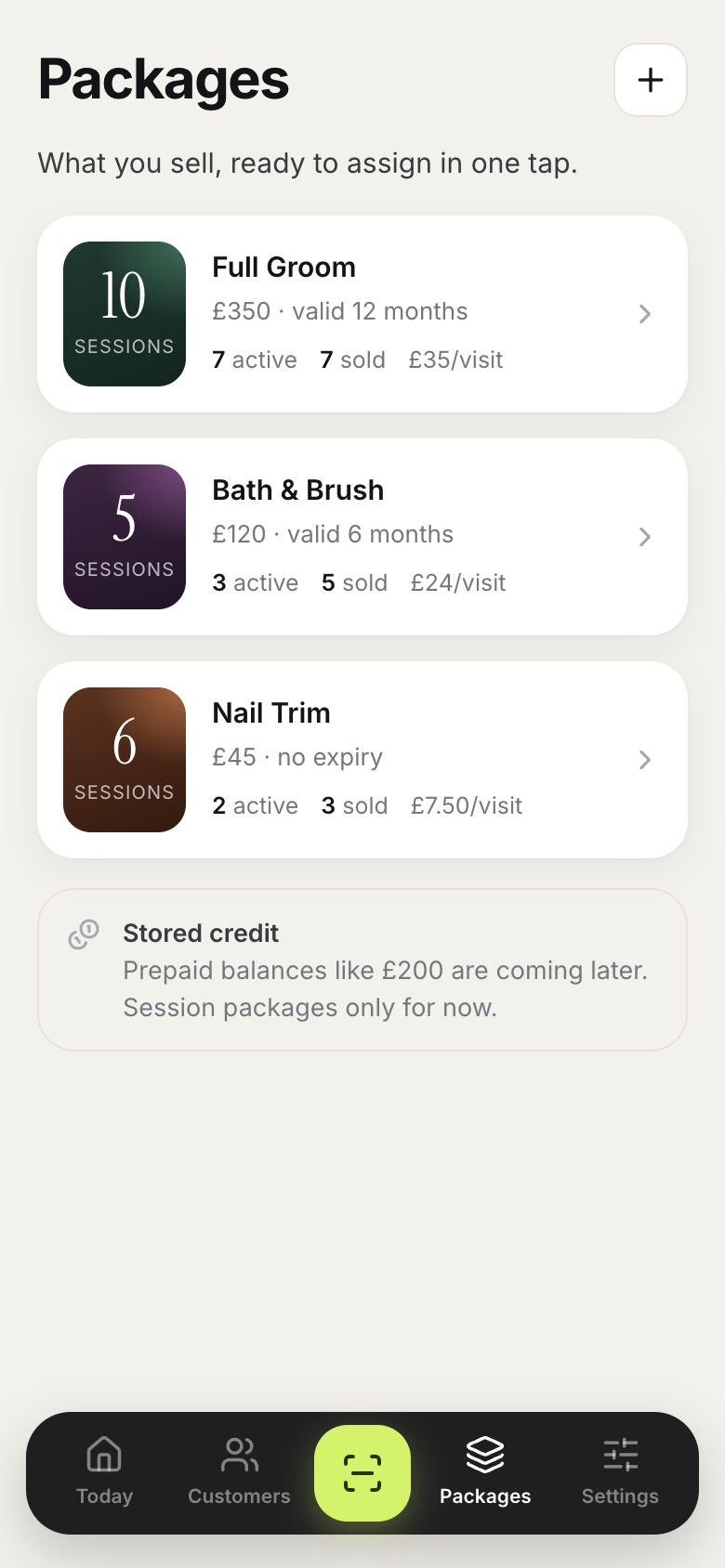
Packages lists what you sell, with how many are active and the price per visit.
-
2
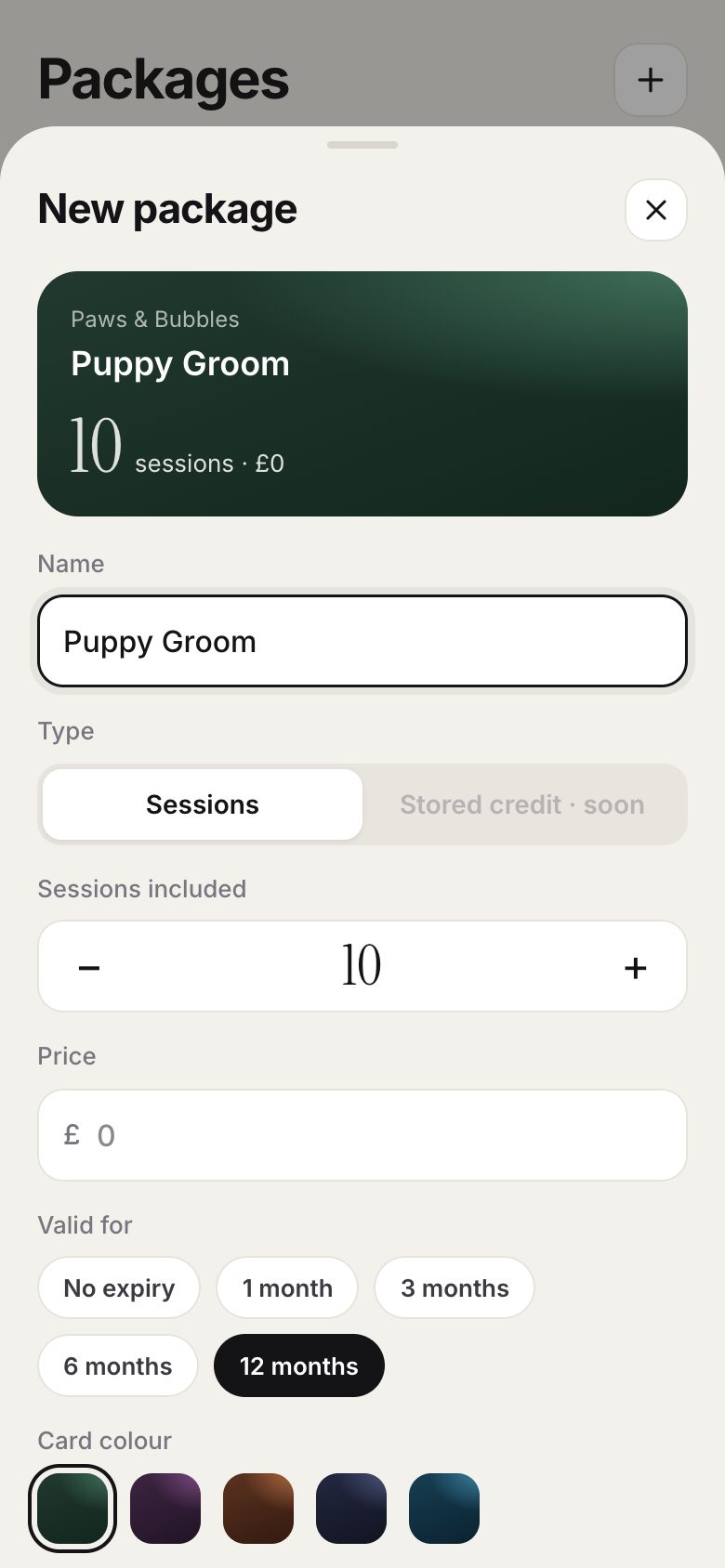
Tap the plus button to create one: give it a name, the number of sessions, a price, how long it is valid and a card colour.
Good to know
- Editing a package only changes future sales. Packages already sold keep their original terms.
- A package that has been sold can be archived but not deleted, so history always makes sense.